Module @rullino/core
@rullino/core
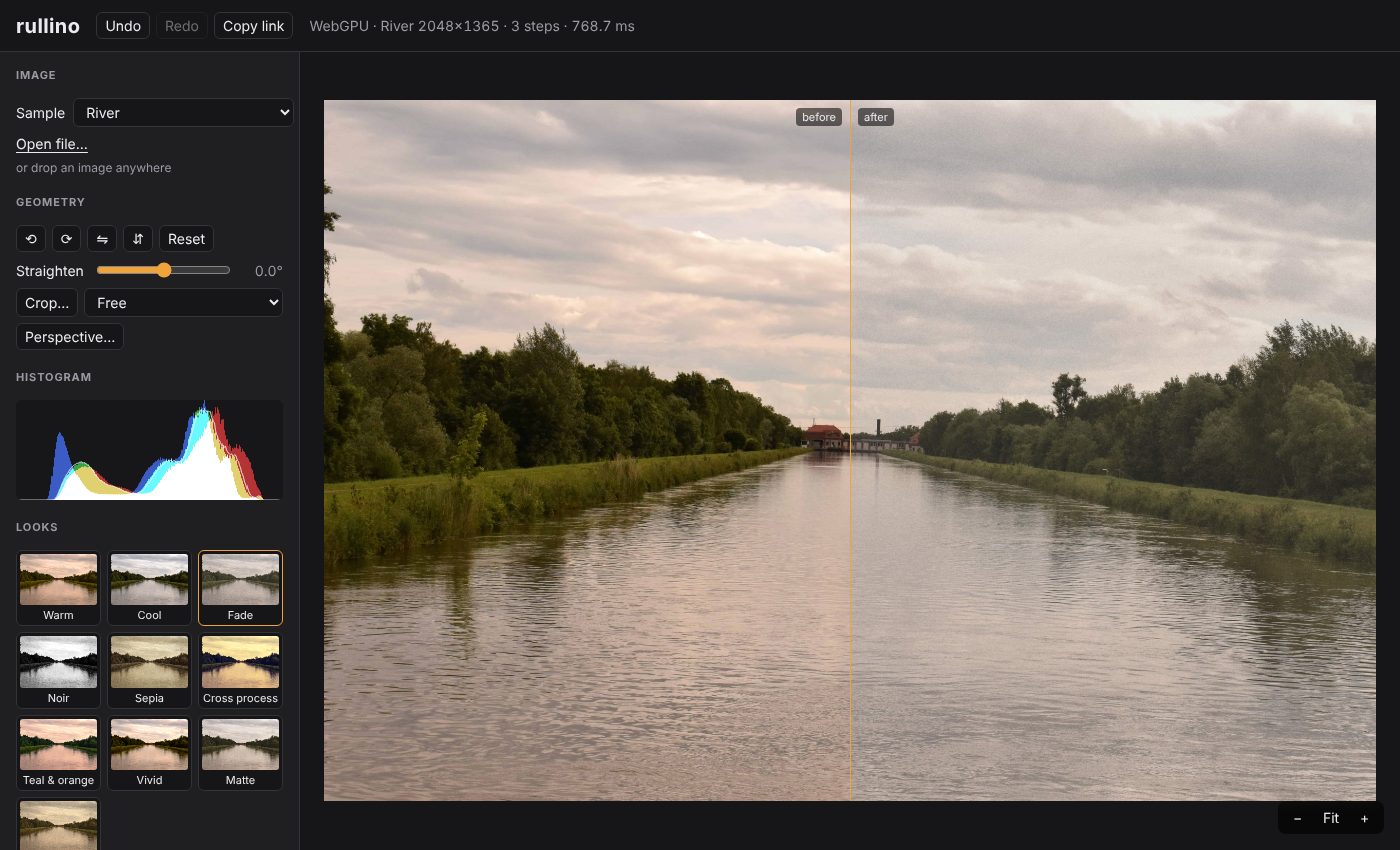
The core of rullino: GPU-first image processing for the web on WebGPU, written in TypeScript. Zero runtime dependencies.
It holds what every filter builds on: the parameter schema and defineFilter(), the cached filter-chain Pipeline, masks, geometry (crop, perspective, straighten), 3D LUTs, colour maths, and export to PNG (8/16-bit), JPEG and WebP. The filters themselves are in @rullino/filters.
Pre-alpha (0.x): the API may change between minor versions. Only the package root is public;
@rullino/core/internalis plumbing without any stability promise.
API reference (generated from the sources)
Install
npm install @rullino/core @rullino/filters
npm install -D @webgpu/types # TypeScript only: the type declarations mention GPUDevice, GPUTexture...
ESM only. A browser with WebGPU is needed for the GPU path (recent Chrome / Edge; Safari and Firefox where WebGPU is enabled). Every filter also has a plain TypeScript CPU implementation that works anywhere, Node included.
Run a chain on the GPU
Images live on the GPU as linear, premultiplied rgba16float textures; sRGB exists only when you import and read back.
import { createGpuContext, importImage, Pipeline, readSrgb8 } from '@rullino/core';
import { contrast, exposure } from '@rullino/filters';
const ctx = await createGpuContext(); // throws WebGpuUnavailableError without WebGPU
const bitmap = await createImageBitmap(await (await fetch('photo.jpg')).blob());
const source = importImage(ctx, bitmap);
const pipeline = new Pipeline(ctx);
pipeline.setSource(source);
// Consecutive pointwise filters are fused into one pass; changing a param recomputes only from
// the first affected step on.
const out = pipeline.run([
{ filter: exposure, params: { ev: 0.5 } },
{ filter: contrast, params: { amount: 0.2 } },
]);
const rgba = await readSrgb8(ctx, out); // Uint8ClampedArray, straight sRGB: ready for ImageData
Errors and device loss
WebGPU reports mistakes asynchronously: a shader that does not compile gives an all-zero image, not an exception. Pass onError to hear about it, with the shader's name and the compiler's lines (without it the errors go to console.error). ctx.lost resolves when the device is lost (driver reset, GPU switch): create a new context and upload your images again. ctx.limits holds the device limits, raised to the adapter's own.
import { createGpuContext, ShaderCompileError } from '@rullino/core';
const ctx = await createGpuContext({
onError: (error) => {
if (error instanceof ShaderCompileError) console.error(error.label, error.messages); // line, column, message
else console.error(error.kind, error.message); // 'validation' | 'out-of-memory' | 'internal'
},
});
const info = await ctx.lost; // when the device is lost
console.warn('GPU device lost:', info.reason, info.message, ctx.limits.maxTextureDimension2D);
Run the same chain on the CPU
The CPU version is the specification the GPU shaders are tested against, so results agree within the filter's tolerance.
import { createImage, runChainCpu } from '@rullino/core';
import { exposure } from '@rullino/filters';
const image = createImage(2, 1, Float32Array.from([0.1, 0.2, 0.3, 1, 0.4, 0.2, 0.1, 0.5])); // linear, premultiplied
const result = runChainCpu([{ filter: exposure, params: { ev: 1 } }], image); // doubles the light
console.log(result.data);
Write a filter
A filter is a schema, a WGSL function and a CPU reference. The UI, the validation and the serialisation are generated from the schema.
import { defineFilter } from '@rullino/core';
export const gain = defineFilter({
id: 'gain',
label: 'Gain',
category: 'adjust',
kind: 'pointwise',
alpha: 'premultiplied',
params: { amount: { type: 'float', min: 0, max: 4, step: 0.01, default: 1, label: 'Amount' } },
wgsl: /* wgsl */ `
fn apply(c: vec4f, p: Params) -> vec4f {
return vec4f(c.rgb * p.amount, c.a);
}`,
pixel: ([r, g, b, a], { amount }) => [r * amount, g * amount, b * amount, a],
tolerance: { abs: 1e-4, rel: 2 ** -10 },
});
Neighbourhood filters use kind: 'multipass' (a fixed list of passes); see the filters' sources for blurs, edges and reductions.
Export
import { exportImage, type GpuContext } from '@rullino/core';
export async function savePng(ctx: GpuContext, texture: GPUTexture): Promise<Blob> {
return exportImage(ctx, texture, { format: 'png', bitDepth: 16 }); // or 'jpeg' / 'webp' with `quality`
}
Edits as JSON
An edit document holds the steps, optionally the geometry and how to export the result. It is what share links, saved presets and server renders exchange. Params equal to their defaults are left out; LUTs travel by name (lutRef / resolveLut).
import { parseChain, serializeChain, type Step } from '@rullino/core';
import { filters } from '@rullino/filters';
export function saveEdit(steps: Step[]): string {
return JSON.stringify(serializeChain(steps, { output: { format: 'jpeg', quality: 0.9, longSide: 2048 } }));
}
export function loadEdit(json: string) {
return parseChain(JSON.parse(json), { filters }); // { steps, geometry?, output? }; version 1 documents are migrated
}
applyEdit renders a document in one call: geometry, steps, then the output.longSide shrink, on the GPU if you pass a context and on the CPU otherwise. Encode with encodeImage(result, doc.output).
import { applyEdit, encodeImage, type GpuContext, type LinearImage } from '@rullino/core';
import { filters } from '@rullino/filters';
export async function render(image: LinearImage, json: string, gpu?: GpuContext): Promise<Blob> {
const doc = JSON.parse(json);
return encodeImage(await applyEdit(image, doc, { filters, gpu }), doc.output);
}
The format is described by a JSON Schema, @rullino/core/edit.schema.json, for validating documents outside rullino (other languages, API gateways). parseChain checks more than the schema can: filter ids and their params, convex perspective quads.
License
MIT. See the repository for the design notes, the filter reference and the playground.
Interfaces
- ApplyEditOptions
- BoolParam
- BrushOptions
- ChainDocument
- ChainOptions
- ColorParam
- Comparison
- ComputePassDef
- CurveParam
- EnumParam
- ExportOptions
- FillOptions
- FloatParam
- Geometry
- GeometryFrame
- GpuContext
- GpuContextOptions
- Histogram
- ImageParam
- IntParam
- KernelParam
- LinearImage
- LinearMask
- Lut
- LutParam
- Mismatch
- MultipassFilter
- MultipassFilterDef
- OutputSettings
- ParseOptions
- PipelineOptions
- PointwiseFilter
- PointwiseFilterDef
- RadialMask
- RasterMask
- RasterMaskData
- RefineOptions
- Rgba8Image
- SerializeOptions
- ShaderMessage
- Step
- StepDocument
- TexturePassDef
- Tolerance
- WandOptions
Functions
- activeSteps
- applyEdit
- applyGeometry
- applyGeometryCpu
- applyLutCpu
- blendMasked
- compareImages
- createGpuContext
- createImage
- createLut
- createRasterMask
- decodeSrgb8
- defaultParams
- defineFilter
- downscale
- downscaleCpu
- encodeImage
- encodePng
- encodeSrgb16
- encodeSrgb8
- exportImage
- fillShape
- fitWithin
- flipGeometry
- fromFloat16Array
- geometryFrame
- histogramSrgb8
- identityLut
- importImage
- isIdentityGeometry
- linearToOklab
- linearToSrgb
- luminance
- lutFromFunction
- magicWand
- maskImage
- maskValue
- migrateChain
- oklabToLinear
- paintStroke
- parseChain
- parseCube
- parseHald
- readImage
- readSrgb8
- refineMask
- releaseTexture
- resampleRaster
- resolveParams
- runChainCpu
- runFilter
- sampleCurve
- sampleImage
- serializeChain
- srgbToLinear
- toFloat16Array
- turnGeometry
- uploadImage
- uploadSrgb8
- validateGeometry
- validateMask